



Did you know you can build a gauge into a report or a data grid query in SQL Developer 1.5? Take a look at this quick demo. Below is a preview screen shot.




 Posts
All Comments
Posts
All Comments
"Using SQL Developer, you can perform the following functions:

Did you notice that same piece of SQL in the middle of the XML tags? Yup, that's our Column Comments SQL. Save this file to a sensible location. I have an Extensions folder, but you might want to add this to a folder under your Documents and Settings. Now open Oracle SQL Developer 1.1.2.25.79 and navigate to Tools -> Preferences. Expand the Database Node and select User Defined Extensions.
<items>
<item type="editor" node="TableNode" vertical="true">
<title><![CDATA[Column Comments]]></title>
<query>
  <sql><![CDATA[select COLUMN_NAME, COMMENTS
from ALL_COL_COMMENTS
where owner = :OBJECT_OWNER and table_name = :OBJECT_NAME]]></sql>
        </query>
 </item>
</items>

<items>Once you have saved that file, add a new User Defined Extensions of Type EDITOR as you did before.
<item type="editor" node="TableNode" vertical="true">
<title><![CDATA[My Sub Partitions]]></title>
<query>
<sql><![CDATA[Select PARTITION_NAME, SUBPARTITION_NAME, HIGH_VALUE,
HIGH_VALUE_LENGTH, SUBPARTITION_POSITION, TABLESPACE_NAME
from ALL_TAB_SUBPARTITIONS
where table_owner = :OBJECT_OWNER and table_name = :OBJECT_NAME]]></sql>
</query>
</item>
</items>

 In SQL Developer 1.1, you might have notice the new DB Search Object. Have you tried it? You'll find it in a minimized window on the right, near your Snippets window. (That is until you start rearranging your windows.)

 Have fun!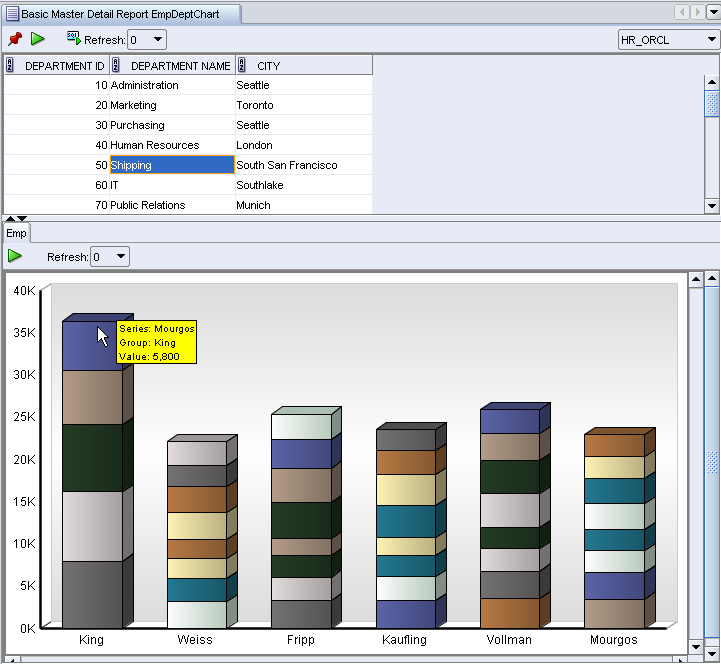
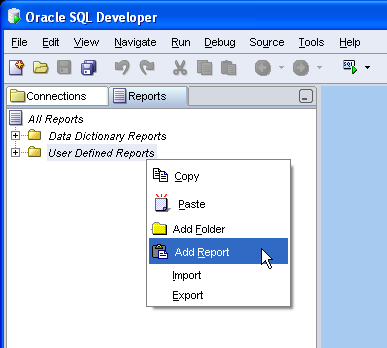 Once you have invoked the new report dialog, there are three areas you should take special note of:
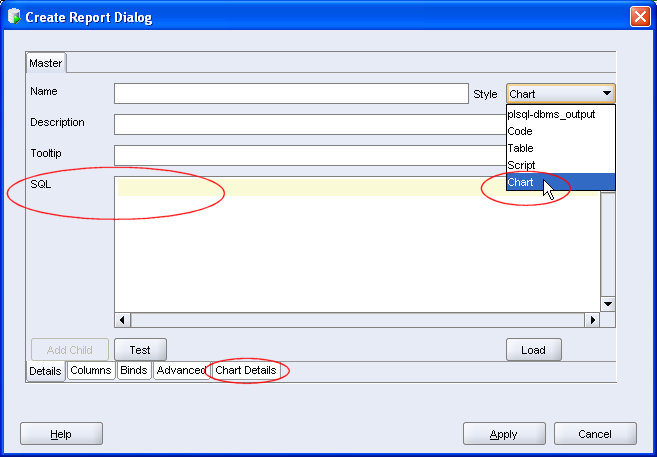 It is obviously important to complete other details, such as name and tooltip, these I'll leave you to do. I want to create a chart of Employees' Salaries per Department. Here's my query. Note, no trailing ';'
 The stripy pajama report reflects the 4 departments in the table , with each employee and salary. The mouseover for each node indicates Employee name and Salary. The power of the chart is that a glance you can see that, based on my data, Department 20 has the greatest salary bill, while Department 10 appears to have the highest paid employee.
